
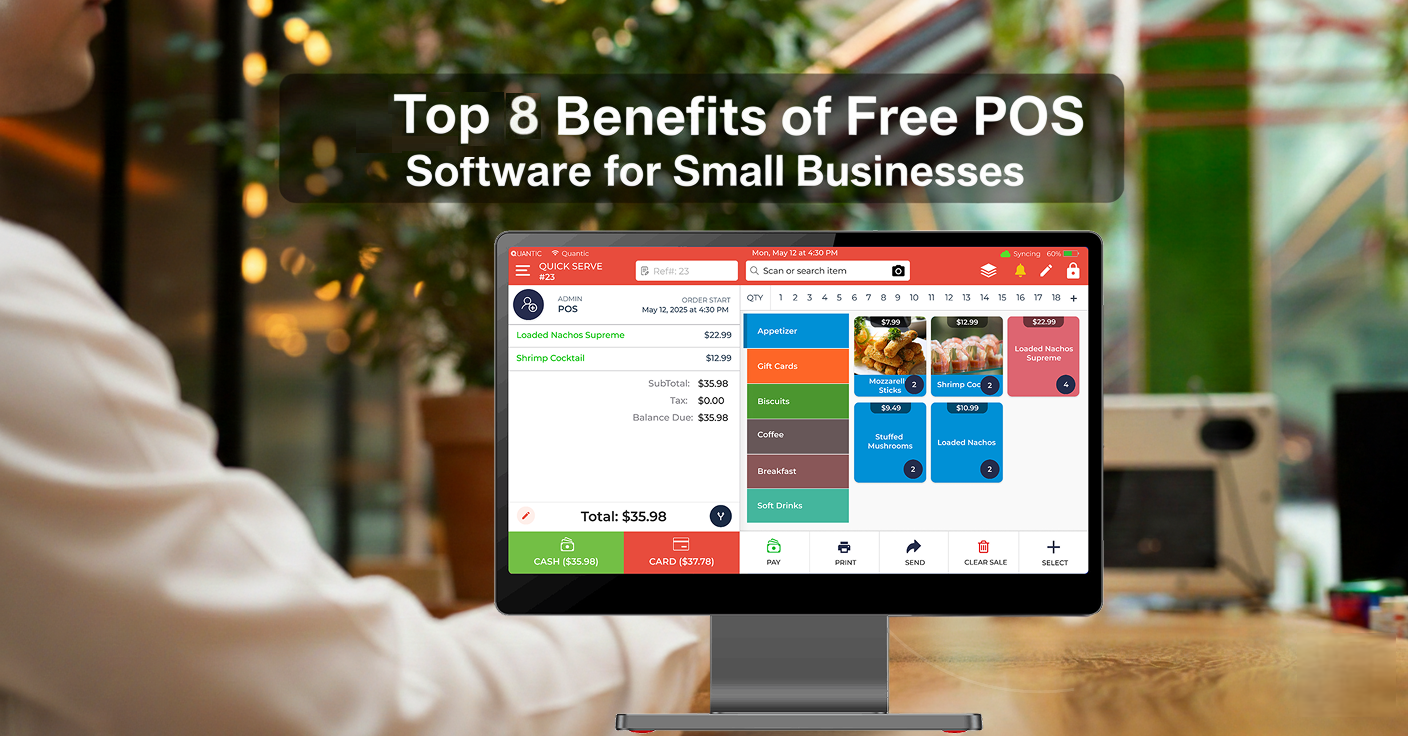
In the fast-paced retail and restaurant environment, modern POS systems have become the game-changing technology that helps businesses automate restaurant operations and improve accuracy.
The POS solutions allow businesses to access modern features such as real-time inventory tracking, reporting, CRM, and retail management.
Restaurants can see 30% reduction in orders and transaction errors after adopting POS software, so businesses require full-fledged POS solutions that manage financial and operational aspects.
Pennmark Financial steps in to understand the real pain points of small businesses – restaurants or retailers.
Explore our in-depth guide on how free POS software helps small businesses to grow and scale.
What is Free POS Software?
At Pennmark Financial, we understand that small and growing businesses need powerful tools without high upfront costs.
For this reason, we encourage the use of free POS software, which offers all the necessary functionalities to handle sales and optimize processes without charging a subscription fee.
Did you know?
Modern POS systems automate inventory, sales, and reporting workflows, reducing manual entries and human errors. Retailers using POS technology see a shrinkage drop by 2% to 5%, and restaurants’ digital order entry report 20% to 40% fewer order mistakes.
Our POS solutions are designed to handle the essentials:
- Seamless transactions to keep checkout quick and reliable.
- Sales tracking and reporting to help you make smarter decisions.
- Inventory management to prevent stockouts and overordering.
- Customer data tools to build loyalty and repeat business.
This makes free POS software the perfect fit for:
- Startups and solo entrepreneurs.
- Local retailers and neighborhood shops.
- Cafés, food trucks, and pop-ups.
- Service-based businesses.
Why Free POS Software is Especially Useful for Small Businesses
Choosing the best POS system can be difficult for small businesses with limited resources and a small staff.
We at Pennmark Financial understand that every dollar matters.
Our flexible financial solutions, combined with Quantic Free POS software, make the perfect package.
It gives you the tools to run your business and manage sales, all while staying budget-friendly.
1. Lower Financial Risk
- Avoid high upfront costs, which is ideal for startups and small businesses.
- Able to test and implement a POS system without going for an expensive paid-for POS.
- Financial partners like Pennmark Financial allow access to free POS without any financial strain.
2. More Budget for Other Priorities
- Redirect your savings from free POS software to hiring new employees, promotions, and more.
- Reduce tech expenses and invest it in strategic growth.
- Partner with Pennmark Financial to get free POS and enhance your customer experiences.
3. Flexibility and Accessibility
- You can access free cloud-based POS anytime, anywhere, using a tablet or a computer.
- It also minimizes the hardware expenses, allowing remote access from multiple locations.
- It supports mobile operations such as food truck POS and more.
4. Enhanced Customer Experience
- Deliver a smooth and professional checkout experience using features like digital receipts and more.
- Use built-in POS features such as customer profiles and loyalty programs to personalize service.
- Strengthen customer relationships and increase repeat visits by combining free POS capabilities.
Benefits of Free POS Software for Small Businesses
Here are 8 key benefits of free POS software for small businesses.
1. Cost Savings
When you opt for free POS software, you don’t need to pay high monthly fees – commonly $60-$150 per month per terminal, which adds up to $720-$1,800 per year per device in software purchases. For small businesses, these fees are 5-10% of total annual overhead.
It is quite helpful for small businesses, such as small retailers or new restaurants, looking to streamline their operations. Now these businesses can easily implement free POS and use its features without any upfront costs.
Businesses facing budget constraints can benefit from our free Quantic POS without incurring high costs.
Example
A cafe typically uses 2 POS terminals for ordering and payments. For paid POS, restaurants pay $100 per month per terminal; the monthly cost would be $200, and yearly, $2,400.
By switching to Quantic’s free POS, the cafe can save $2,400 per year. These savings can be utilized in hiring staff or promotional activities.
2. Reduce Extra Investment
While searching for the best free POS software, businesses will come across Quantic’s free POS, a cloud-based solution that runs on devices they already own, such as laptops and tablets.
The POS setup requires $1000 to $3000 per terminal, which can be a major upfront investment for small businesses.
Example
A newly opened casual-dining restaurant with 2 tablets for the owner and staff. The POS hardware cost for 2 terminals will be $2,000 to $3,000. With Quantic’s free POS, there will be 0$ hardware investment at launch.
They don’t need to spend more on expensive hardware. Once their businesses expand, they can invest in specialized hardware for their POS systems and allocate the funds to kitchen equipment or staff training.
3. Learning Curve
Quantic free POS features a flexible user interface that helps employees and staff to understand the POS workflow.
It allows businesses to handle various tasks such as order entry, payment processing, reporting, and more.
According to research, POS systems with a flexible design can reduce transaction times by up to 25% compared to traditional systems, making adoption easier.
They require minimal training, resulting in less downtime and seamless daily operations.
Example
In a small restaurant, you could hire two additional servers. With complex POS, staff training requires 4 to 6 hours per employee. Total training hours will be 8-12 hours.
Quantic’s free POS streamline interface allows new employees to learn essential functions within 1-2 hours, reducing the total time by 2-4 hours.
4. Inventory Management
Automated inventory tracking updates stock levels in real time and prevents stockouts by sending low stock alerts. Real-time inventory and automated alerts improve business operational efficiency.
Automated inventory systems reduce stock discrepancies by 30% and prevent stockouts by 20%-30% compared with manual tracking.
Example
A casual-dining restaurant uses Quantic’s free POS and begins tracking item-level inventory for select items, such as buns and sauces.
The manager sets the reorder point at 10 buns. When the sales reduce the bun item count to this level. Quantic POS triggers a low stock alert.
With these timely alerts, restaurants can reorder items and prevent stockouts.
5. Real-Time Sales Tracking
Quantic’s free POS allows businesses to track real-time sales data, including revenue, order volume, and transaction performance. With this live data, businesses can make data-driven decisions on pricing, promotions, and staffing.
Using this real-time data enables businesses to reduce administrative workload and lower operational costs.
Example
For example, a local bistro uses the Quantic free POS and checks its sales dashboard. The bistro manager notices lunch sales are 19% lower than last week at the same time. With these insights, the manager launches a limited-time promotional offer and reallocates the server to table service. The promotion boosts traffic to the bistro, resulting in increased sales.
6. Fast Checkout with Card and Digital Payments
Our free POS integrates with multiple payment methods, enabling businesses to accept credit and debit cards, contactless payments, and digital payments. The integrated payments eliminate the manual entry and reconciliation steps, enable fast checkouts, and improve operational accuracy.
According to industry data, integrated payments reduce manual entry errors by 80% and speed up transaction processing by 25%, resulting in a seamless customer experience.
This payment model also enhances operational efficiency and synchronizes data from accounting, sales, and reporting, reducing back-office overload.
Example
A brunch cafe using a Quantic free POS with integrated card and digital wallets. During the busy weekend, the average checkout time drops from 30 to 22 seconds per transaction.
The prices and totals are automatically processed and populated. Working a 3-hour shift and 150 orders, this efficiency reduces wait times and allows staff to serve more guests.
7. Third Party Integrations
Quantic free POS allows third-party integrations with accounting software, marketing tools, delivery partners, and more. It allows businesses to prevent duplicate entries and reduce human errors.
The studies show that automated integration can reduce manual entry time by 80% compared with human data-entry workflows.
These integrations help businesses track financial transactions – sales, customers, and other financial data to run promotional campaigns.
Example
A bistro restaurant uses Quantic free POS with integrated accounting software. Daily sales will automatically sync with the accounting software, eliminating 30-40 minutes of manual entry.
8. Security Compliance
Quantic’s free POS focuses on protecting business and customer data through encryption. Customer payment information is secured by end-to-end encryption. The system is designed to meet PCI compliance requirements, ensuring global card payment security.
According to PCI reports, over 60% of small businesses experience data breaches and shut down within 6 months. It highlights the importance of PCI compliance. PCI-compliant, encrypted payments reduce data breaches and fraud risk by up to 50%-70% compared to noncompliant payments.
Example
The restaurant performs hundreds of card transactions weekly. With Quantic’s free POS, PCI-compliant transactions are processed, where card details are never stored in plain text. The customer’s sensitive information remains protected even if the restaurant is compromised.
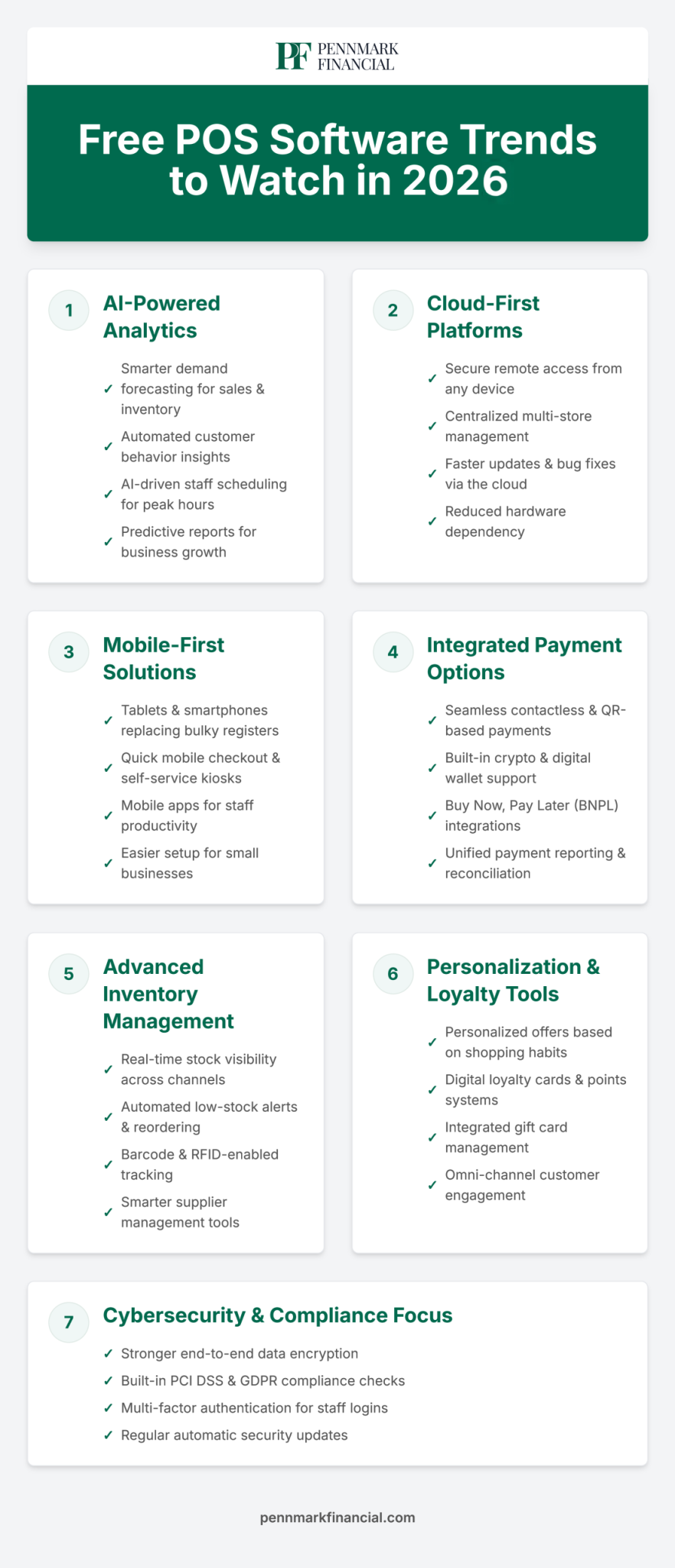
Free POS Software Trends to Watch in 2026
Conclusion
Using a free POS system could be one of the best decisions you make if your business is still tracking sales and inventory using outdated cash registers, manual bookkeeping, or best guesses.
Without the need for expensive software, Pennmark Financial offers small businesses a powerful, free POS solution that helps them increase customer satisfaction, streamline operations, and make data-driven decisions.
Through Pennmark Financial’s resources, small and medium-sized businesses can gain the competitive advantage, scalability, and efficiency needed to expand in today’s market.
Ready to explore more about Quantic Free POS? Schedule a demo with us.
Frequently Asked Questions
What is Free POS Software?
Free POS software combines hardware, software, payment processors, and more. With this POS, you get all essential features at no upfront cost. Free POS allows you to manage sales, inventories, customer data, and more to optimize your restaurant’s or retail shop’s operations.
Who should use free POS software?
- Startups, small businesses, and businesses with a tight budget.
- Cafes, food trucks, liquor stores, retailers, boutiques, and more.
- Businesses that want to test sales channels and inventory tracking.
- Businesses that want to reduce admin overhead.
How is free POS software different from paid versions?
You can access essential features in the free POS, including inventory management, reporting, sales tracking, and more, to streamline your business operations.
In the paid versions, you will receive premium features, including multi-location support, complex integrations, advanced analytics, and more.
Can free POS software handle credit/debit card payments?
Yes, free POS software integrates with payment processors that help businesses to accept card payments.
Do I need special hardware to use free POS software?
No, you don’t need special hardware to use with free POS. Our POS is cloud-based and can run on tablets and laptops. Terminals, scanners, and other hardware are optional.